Using Windows Xp Themes In Your Programs
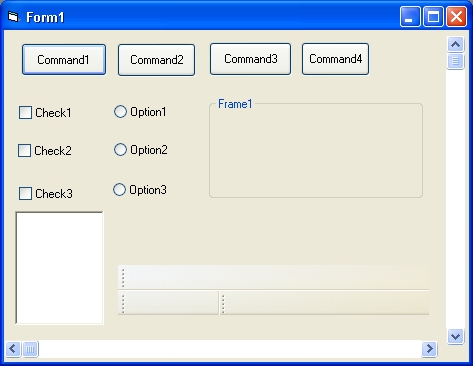
If your running Windows Xp and would like your programs to use the slick new buttons and other controls that xp does just copy this text in notepad and save it as "VB6.EXE.MANIFEST" and put it in the same directory as VB6.EXE and then you have to do one more thing to make the new controls stick when you make an EXE. First in the general declarations section put. Private Declare Function InitCommonControls Lib "comctl32.dll" () As Long
Then in the Form Initilize Event put.
InitCommonControls
Then for the final step copy this into notepad and save it as YourProjectsName.EXE.MANIFEST and include it in the same directory as your programs .EXE file. Copy the text that follows.
Enter your Description Here
type="win32"
name="Microsoft.Windows.Common-Controls" version="6.0.0.0"
language="*"
processorArchitecture="*"
publicKeyToken="6595b64144ccf1df"
/>
Remember to do the last to steps for each form in your program.
Please leve any comments you may have.
Rate Using Windows Xp Themes In Your Programs
 (13(13 Vote))
If your running Windows Xp and would like your programs to use the slick new buttons and other controls that xp does just copy this text in notepad and save it as "VB6.EXE.MANIFEST" and put it in the same directory as VB6.EXE and then you have to do one more thing to make the new controls stick when you make an EXE. First in the general declarations section put. Private Declare Function InitCommonControls Lib "comctl32.dll" () As Long
Then in the Form Initilize Event put.
InitCommonControls
Then for the final step copy this into notepad and save it as YourProjectsName.EXE.MANIFEST and include it in the same directory as your programs .EXE file. Copy the text that follows.


Enter your Description Here


Remember to do the last to steps for each form in your program.
Please leve any comments you may have.
Using Windows Xp Themes In Your Programs Comments
No comments yet — be the first to post one!
Post a Comment