Use the REAL theme drawing on all your controls (how to use UxTheme.dll)
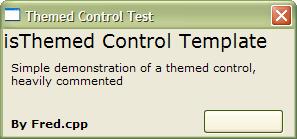
Lot of controls have Imited XP controls with images or code drawing, This is a small template that will show you how to give your usercontrols XP look, Using the real theme data. Heavily commented and easy to understand, this example only draws a command Button With 2 states: Normal and pressed, that's to make the code easy, but you can easily extend this functionality to more states like hover, defaulted, etc. includes names and ID's for all classes, parts and states for the windows controls. Comments, votes, suggestions, requests are wellcome.
Regards. - Fred.cpp
API Declarationsmany
Rate Use the REAL theme drawing on all your controls (how to use UxTheme.dll)
 (6(6 Vote))
(6(6 Vote))
Download Use the REAL theme drawing on all your controls (how to use UxTheme.dll)
Active Server Pages
Coding Standards
Complete Applications
Custom Controls
Data Structures
Databases / ADO
DDE
Debugging & Errors
DirectX
Encryption
Files / I/O
Games
Graphics
Internet / HTML
Jokes / Humor
Libraries
Math / Dates
Office / VBA
Miscellaneous
OOP
OLE / COM / ActiveX
Registry
Sound / MP3
String Manipulation
VB Enhancements
Windows API
Windows CE
System Services