Translucency for Games
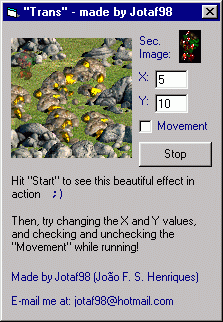
What this function does is paint a picture to another one, but with a nice translucency effect! Very cool if you want a small, quick function to use translucency in your games -- something that only the top games you buy had!
Inputs
All you'll input is the image that will be drawn and where, its position and the height/width of the first image (basically you'll put here the ScaleHeight/ScaleWidth of the form or picturebox you'll draw to).
Assumes
To use, just add the .bas file and call the function.
Side Effects
If you use this function in large or many images at the same time, it may slow down the game, because of the huge calculations involved.
Rate Translucency for Games
 (7(7 Vote))
(7(7 Vote))
Download Translucency for Games
Active Server Pages
Coding Standards
Complete Applications
Custom Controls
Data Structures
Databases / ADO
DDE
Debugging & Errors
DirectX
Encryption
Files / I/O
Games
Graphics
Internet / HTML
Jokes / Humor
Libraries
Math / Dates
Office / VBA
Miscellaneous
OOP
OLE / COM / ActiveX
Registry
Sound / MP3
String Manipulation
VB Enhancements
Windows API
Windows CE
System Services