Time Manager (multiple time tools)
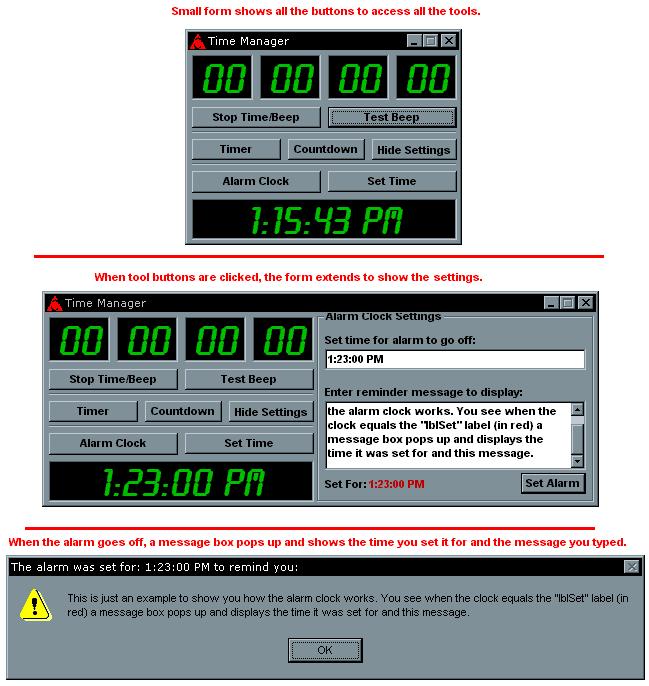
It's three things in one:
1) Timer - To time something. Use it just like a stopwatch would work.
2) Countdown - Use this to limit something a certain amount of time.
3) Alarm Clock - Type in the time you want the alarm to go off, then type in a message you want it to say. When your computer reads that time you set it for a message box will pop up telling you what time it was set for and whatever your reminder is.
Side Effects
For the countdown, if you want to set the count time for 1 minute, 1 hour, 1 day or anything like that, it get's all messed up. Instead of, lets say, setting it for 00:01:00:00 meaning 1 hour, set the time for: 00:00:59:59. For some reason the other way won't work so you have to change it a little, but it's still accurate (sort of).
 (5(5 Vote))