Stock Quotes
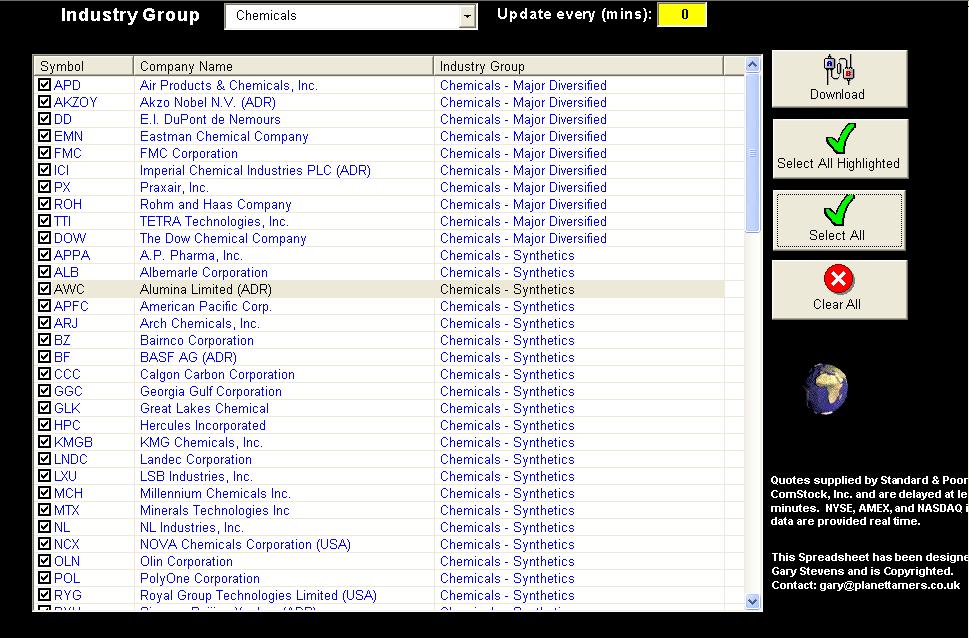
This example Excel spreadsheet shows how to get live datafeeds for Stock using Excel Querys. I have password protected the workbook, but I will give that to you, so you can see the 'Protection' functionality in use. (Password = 'stockquotes'). There are hidden sheets that contain the Listings for each industry sector (this is set at startup of the workbook), but these could be parked in a database such as Access or SQL if you liked. I have used a ListView to manage the stocks that you need quotes on. Anyway, I hope that this is useful! It could be adapted for other markets, which is why a database of sectors/markets would be handy.
Returns
The latest stock quotes for the stocks that you have selected.
Side Effects
A larger understanding (and brain!?) of Excel and Query's.
 (4(4 Vote))