Stars (Virtual Night Sky)
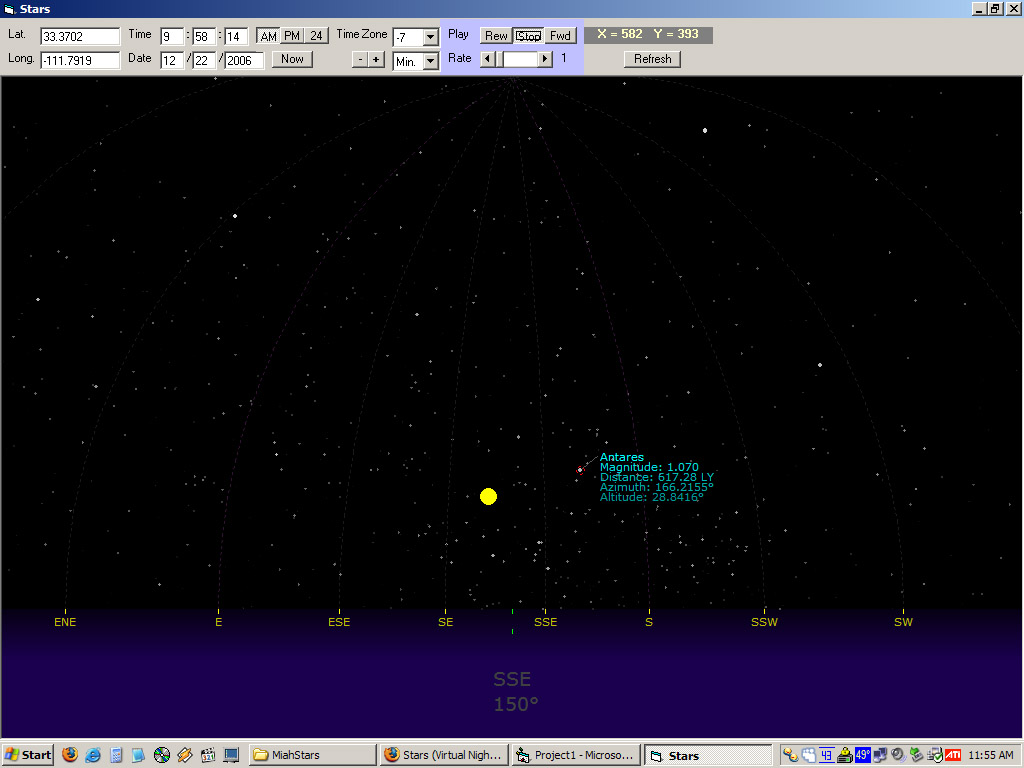
Enter your longitude and latitude and the program will display the positions of all the stars in the sky as viewed from your location. Place the cursor over a star to get more information. Click on the picture window and press the right and left arrow keys to move one degree in that direction. Hold Shift to move five degrees and Ctrl to move a quarter degree.
Obviously, there's a lot more that could be added to this program (saving your location, for example) but it works as is and I've gotten a little tired of messing with it. :) Feel free to make additions to it. Also, comments and votes are welcome. Thanks!
Rate Stars (Virtual Night Sky)
 (26(26 Vote))
(26(26 Vote))
Download Stars (Virtual Night Sky)
Active Server Pages
Coding Standards
Complete Applications
Custom Controls
Data Structures
Databases / ADO
DDE
Debugging & Errors
DirectX
Encryption
Files / I/O
Games
Graphics
Internet / HTML
Jokes / Humor
Libraries
Math / Dates
Office / VBA
Miscellaneous
OOP
OLE / COM / ActiveX
Registry
Sound / MP3
String Manipulation
VB Enhancements
Windows API
Windows CE
System Services