Splitter Control 1.1.9
Tim Humphrey
(1 Submission)
Custom Controls/Forms/Menus
Visual Basic 3.0
Intermediate
Wed 3rd February 2021
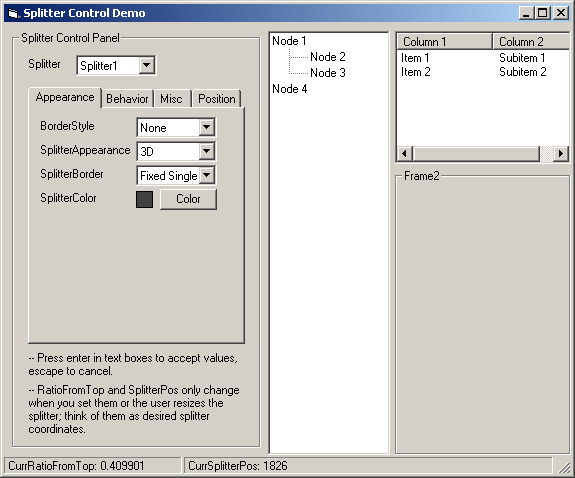
Splitter Control is a Windows Explorer style splitter. To use it, add controls to it the same way you do for a frame, and set the Child1 and/or Child2 properties to the names of the added controls.
Features
- Live and non-live updating while child controls are resized
- Customize appearance of splitter bar while not live updating
- Escape can be pressed while moving splitter bar to cancel the move
- Specify a maximum size for a child control
- Specify a minimum size for either child control
- Horizontal or vertical orientation
- Position splitter bar by percentage or absolute position
Assumes
This is an OCX, the same as other VB components. Right-click on the toolbox to add this component to your project.
Rate Splitter Control 1.1.9
 (21(21 Vote))
(21(21 Vote))
Download Splitter Control 1.1.9
Active Server Pages
Coding Standards
Complete Applications
Custom Controls
Data Structures
Databases / ADO
DDE
Debugging & Errors
DirectX
Encryption
Files / I/O
Games
Graphics
Internet / HTML
Jokes / Humor
Libraries
Math / Dates
Office / VBA
Miscellaneous
OOP
OLE / COM / ActiveX
Registry
Sound / MP3
String Manipulation
VB Enhancements
Windows API
Windows CE
System Services