Setup OCX in Splash Screen
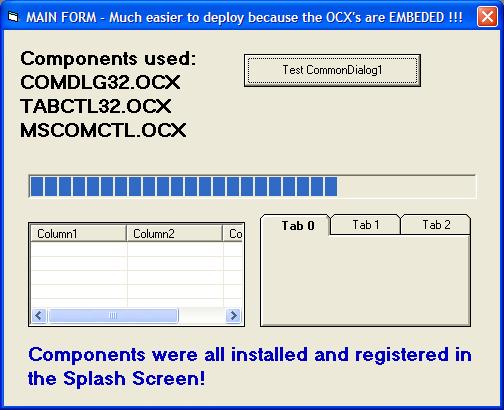
Setup OCX files in your Splash Screen. The OCX files were EMBEDDED into Modules using the Resource Builder Application I recently posted in VBC. This is a real working example of COMDLG32.OCX, TABCTL32.OCX and MSCOMCTL.OCX being automatically installed by the Splash Screen. This makes Internet Software Delivery possible even when they run your App straight out of the Zip file. Great when distributing to users who have no technical knowledge or are new to Windows. How often do you find that a user executes the SETUP from within the Zip instead of extracting all the files first into a temp folder? This app does it all! Enjoy.
Rate Setup OCX in Splash Screen
 (2(2 Vote))
(2(2 Vote))
Download Setup OCX in Splash Screen
Active Server Pages
Coding Standards
Complete Applications
Custom Controls
Data Structures
Databases / ADO
DDE
Debugging & Errors
DirectX
Encryption
Files / I/O
Games
Graphics
Internet / HTML
Jokes / Humor
Libraries
Math / Dates
Office / VBA
Miscellaneous
OOP
OLE / COM / ActiveX
Registry
Sound / MP3
String Manipulation
VB Enhancements
Windows API
Windows CE
System Services