Save Screen Ver.4
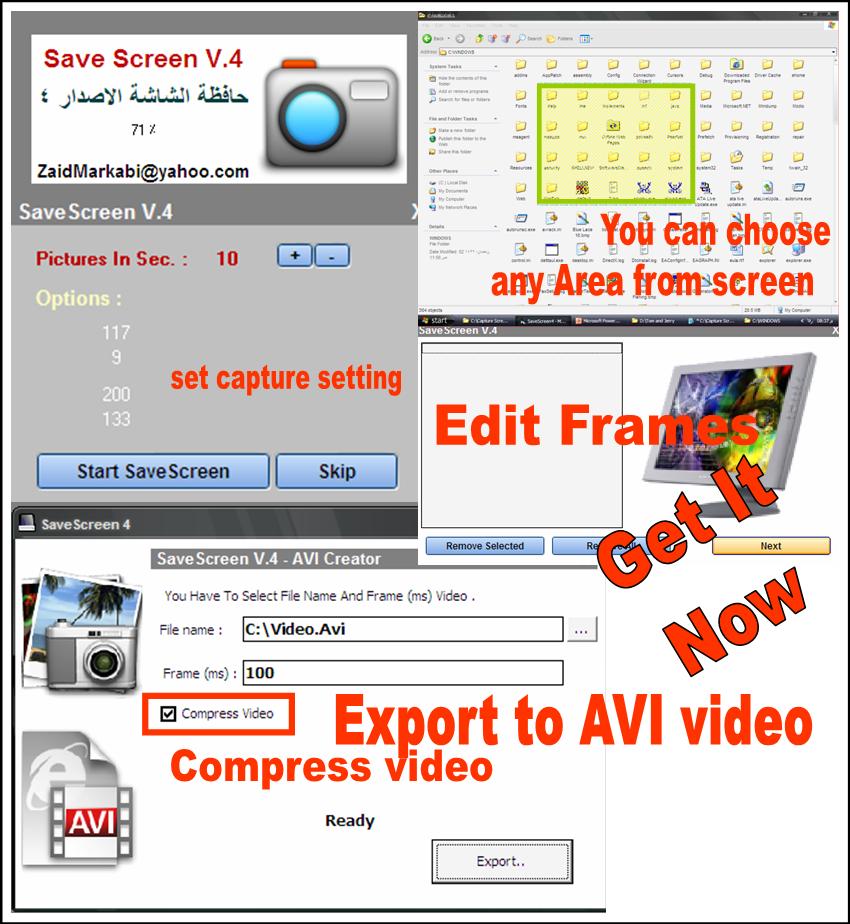
Capture the screen to compressed AVI video file, WithOUT any Dll or Ocx file, choose area from screen to save it as video file.
You can edit frames after capturing !!
It's really powerful and easy to use, choose part of screen , capture the screen , choose output file!
See screenshot and get it now...
Email :
[email protected]
I hope to hear from you soon,
Webpage :
https://yazanmarkabi.jeeran.com/allmembers/zaid%20markabi.html
Inputs
Capture the screen to compressed AVI video file, WithOUT any Dll or Ocx file, choose area from screen to save it as video file.
You can edit frames after capturing !!
It's really powerful and easy to use, choose part of screen , capture the screen , choose output file!
See screenshot and get it now...
Email :
[email protected]
I hope to hear from you soon,
Webpage :
http://yazanmarkabi.jeeran.com/allmembers/zaid%20markabi.html
 (5(5 Vote))