Safe Proxy
IMPORTANT: Before you open the code rename systray.oc_x to systray.ocx
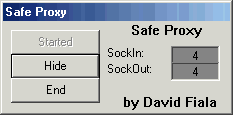
Safe proxy acts like a normal HTTP proxy but you can customize it to block out content. It is currently programmed to block out file uploads.
Inputs
For inputs all you need to do is setup your webbrowser and it does the inputs for you! :)
Internet explorer users: Tools menu -> Internet Options -> Connections Tab -> LAN Settings button -> Check Use Proxy Server -> Put in servers IP(whatever computer is running it) and the port: 8180
Press OK a couple times and your set :)
To undo go back to LAN settings and uncheck 'Use Proxy Server'
Assumes
To do this, its much easier with 2 computers networked together. The one with internet access should run the proxy server.
Returns
It returns the page right back to the web browser :)
Side Effects
There is 1 sideeffect mainly but its not a big problem. As all proxy servers do, it will make the connection slower for the user requesting the page.
 (5(5 Vote))