Quick, effective Forms resizing code.
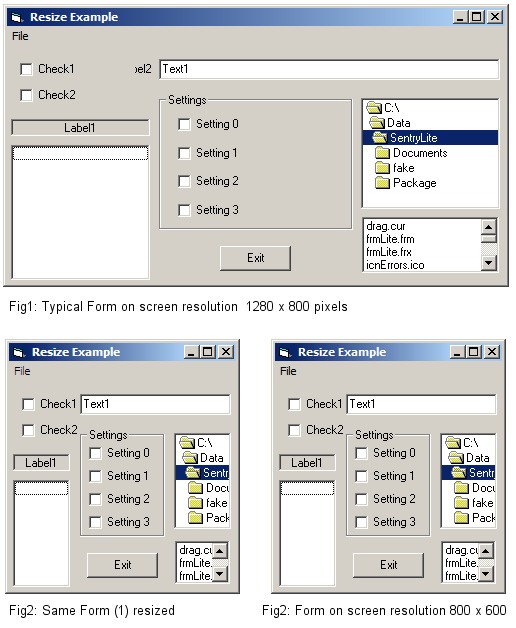
Quick, effective Forms resizing without a 'resize component'.
Assumes
Most 'resize controls/solutions' scale controls and font sizes proportionally.
This is never what I actually want. Usually, GUI's have textboxes and list
controls that can be simply stretched or shrunk as appropriate.
Also, 'Tool' windows are nice when small, but it is really useful to allow users
to stretch the window and see all text in the textbox (eg, nested foldernames).
'
Just using an arbitrary fraction of the 'screen width' for a 'margin' constant
works well for resizing but falls apart if the screen resolution or aspect ratio
change, this approach avoids that problem.
'
It simply uses the Form's TextWidth and TextHeight properties, fractions of which
are assigned to two variables (used as the base unit for all static dimensions).
'
A dummy project is included, as an example of how to Utilize these two derived
constants. Switching resolution, aspect ratio or resizing should leave your form
looking pretty much the same.
'
Note: The method 'as is' does assume that the project is using the 'default' VB
scalemodes and font sizes (which are perfectly suitable for most applications.)
'
 (6(6 Vote))