Password Protection With Up To 3 Attemps
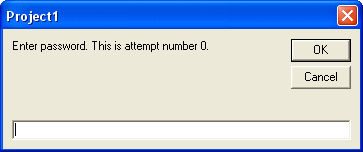
This will ask the user to enter a password and if it is incorrect it will give them two more chances (three attempts in total). Please vote and leave comments :)
Inputs
One Command Button name Command1.
Rate Password Protection With Up To 3 Attemps
 (10(10 Vote))
(10(10 Vote))
Active Server Pages
Coding Standards
Complete Applications
Custom Controls
Data Structures
Databases / ADO
DDE
Debugging & Errors
DirectX
Encryption
Files / I/O
Games
Graphics
Internet / HTML
Jokes / Humor
Libraries
Math / Dates
Office / VBA
Miscellaneous
OOP
OLE / COM / ActiveX
Registry
Sound / MP3
String Manipulation
VB Enhancements
Windows API
Windows CE
System Services