NextPad (New Version)
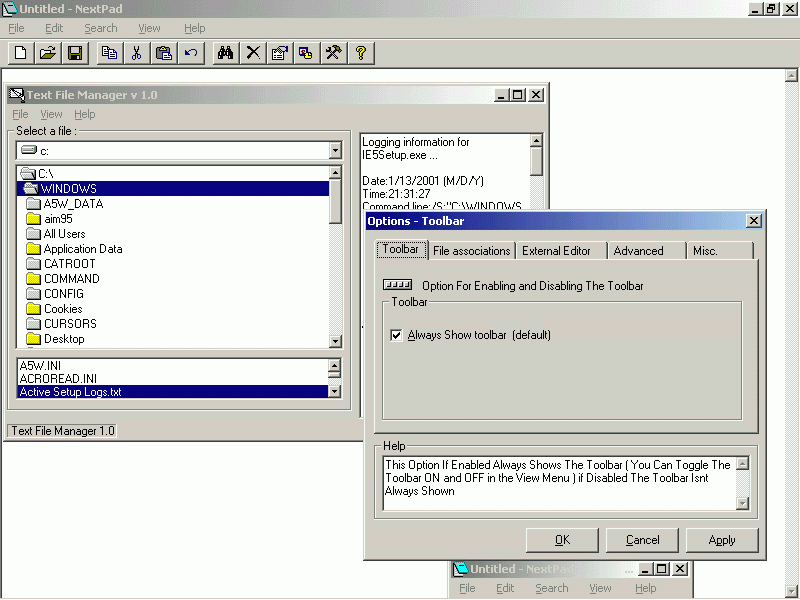
Hello And Welcome Too NextPad,, Thanks For Downloading the Source Its Probably Not too great But hey !!
Any way It has .
--------------------------------------------------------------------------------------------------------------------------------------------------------------------------------------
* Word wrap ,
* Clipboard Options ,
* Can Launch Another Editor If The File That Is Being attempted too be opened is too large ,
* has an Options dialog
* can Be Used on the command Line and ,
* can Be the Default text Viewer for (*.TXT) Files......
* Set Font
* AWESOME Text File Manager ( Text Files Can Be viewed On the FLY !!! , No need too use a commondialog )
* Find Dialog
* AUTHENTIC windows core component Properties dialog , Strait From the windows API !!!!
* Launch New instance , Through A menu or dialog
* Has a Toolbar
* Has A Clipboard Viewer , Editor
* Full screen Mode
* Recent File Menu
* Undo Option Added
* Option Too Alter NextPad's Thread Process Priority
* Option For NextPad Not Too ask Too Launch External Editor , Just Launch it.
--------------------------------------------------------------------------------------------------------------------------------------------------------------------------------------
THIS PROGRAM CRUSHES NOTEPAD IN ITS OPTIONS AND ABILITIES !!!!!
If you like it Vote for me Otherwise You dont have too .
Thanks;
Developer : Jason - simeone
age : 15
Hobbys : VB 5
Code Was Revised , Restructured ...............
Assumes
Just Enjoy the Text Editor , YOu May use Some OR All of this Source Code In your Project Without Giving Credit too me.
Side Effects
Nothing What So Ever
 (5(5 Vote))