New API Viewer Modified with value searching and preview
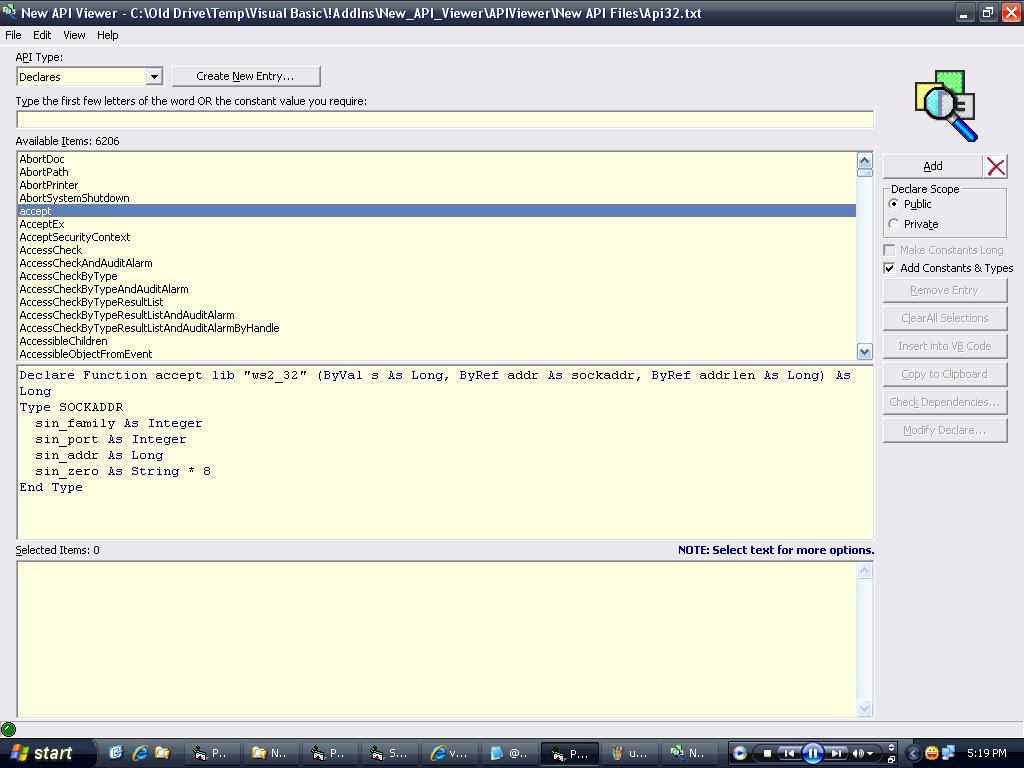
I have modified this code from https://www.vbcoders.com/vb/scripts/ShowCode.asp?txtCodeId=68349&lngWId=1 (many thanks to David for his submission). Modifications: Added a richtext preview window, that makes it look like the VB IDE. Added a 'add constants & types' checkbox when you're looking through declarations. This will grab whatever constants and types are listed in the declaration, and append them to the preview. Added ability to search through constant+enum values. The reason I modified this, was I because I was intercepting windows messages and thought this would be a fast way to see what the messages might mean... So in the search textbox, you can now either look for a declaration, constant, type or enum as before, but you can also enter in values. For example, let's say you've subclassed a window, and all these numbers are coming through your debug window, how are you meant to know what means what? Well, if you enter &H9 in the textbox, all the constants and enumerations with the value &H9 will be shown in the preview window. Pretty handy if you ask me... There were a few other bugs I found in the beginning which I should have noted down, but I just went ahead and fixed them. From memory, one of them was it was looking in the wrong listbox for the 'subs' (thinking it was looking in the declaration listbox).
 (2(2 Vote))