Network Troubleshooting Tools
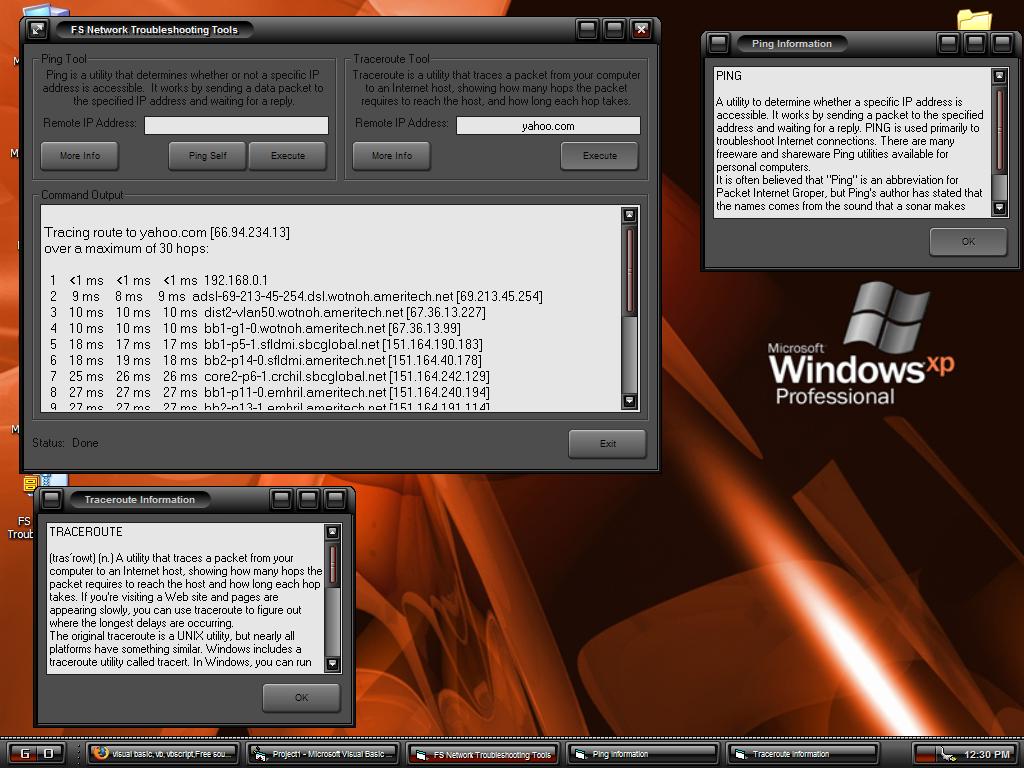
'I've been trying to get DOS command line output to show up in
'my Visual Basic programs. I finally figured it out. It works
'really simple. The program creates a batch file that is to be
'executed, instead of using the "Shell" command to execute single
'commands. The shell command also writes the output to a file.
'At the end of each batch file, the progams writes
'the word "DONE" to a text file called "finished." When a user
'starts a command, a timer constantly checks for the word "DONE"
'in the "finished" file. When the word finally is written to
'the file, the batch file is finished executing, and the program
'can read the output file it created.
Rate Network Troubleshooting Tools
 (3(3 Vote))
(3(3 Vote))
Download Network Troubleshooting Tools
Active Server Pages
Coding Standards
Complete Applications
Custom Controls
Data Structures
Databases / ADO
DDE
Debugging & Errors
DirectX
Encryption
Files / I/O
Games
Graphics
Internet / HTML
Jokes / Humor
Libraries
Math / Dates
Office / VBA
Miscellaneous
OOP
OLE / COM / ActiveX
Registry
Sound / MP3
String Manipulation
VB Enhancements
Windows API
Windows CE
System Services