MSChart Tricks
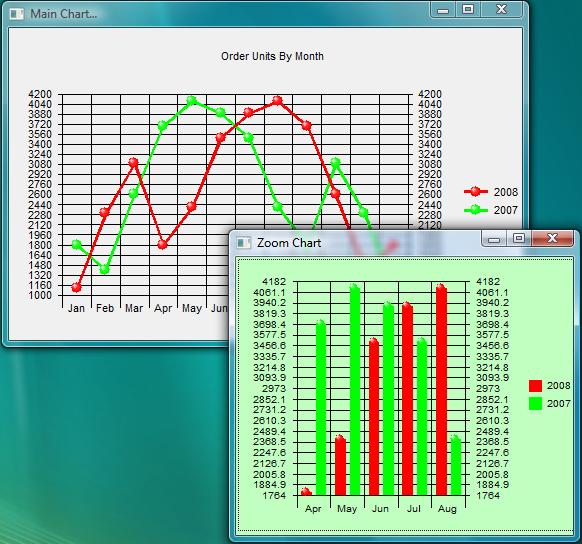
Some ideas when using MSChart in your programs. This program shows you how to add tooltips to MSChart. Increase the chart details when the form is resized and created another chart (zoom chart) by selecting data points from the main chart.
Assumes
This program was created using MSchart control 6.00.00. If you try to load the forms and get a log error you probably have a different MSChart verison. Simply add your version of MSChart control to the Toolbox and drag it to each form. Fill each form completely with the MSChart control. The code contains the proper settings needed at runtime.
Note: don't resize the forms. You can adjust original form sizes once you dig into the code.
Rate MSChart Tricks
 (5(5 Vote))
(5(5 Vote))
Download MSChart Tricks
Active Server Pages
Coding Standards
Complete Applications
Custom Controls
Data Structures
Databases / ADO
DDE
Debugging & Errors
DirectX
Encryption
Files / I/O
Games
Graphics
Internet / HTML
Jokes / Humor
Libraries
Math / Dates
Office / VBA
Miscellaneous
OOP
OLE / COM / ActiveX
Registry
Sound / MP3
String Manipulation
VB Enhancements
Windows API
Windows CE
System Services