VBcoders Guest


Don't have an account yet? Register


Forgot Password?


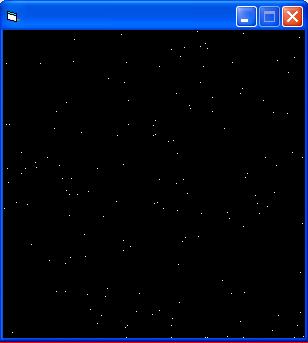
Moving Stars. Tutorial. Graphics. Includes Image
by Rodrigo Bolaños (1 Submission)
Category: Graphics
Compatability: Visual Basic 5.0
Difficulty: Beginner
Date Added: Wed 3rd February 2021
Rating: (4 Votes)

This articles makes moving stars. It could be used to create a star shooting game. For beginners.
PLEASE VOTE
PLEASE COMMENT

Rate Moving Stars. Tutorial. Graphics. Includes Image

'By Rodrigo Bolaños


'For beginners who want to learn the Pset. And 


'the parameters that need to be use


Option Explicit


Dim Px(1 To 150) 'Pixel X position


Dim Py(1 To 150) 'Pixel Y positon


Dim P_LastY(1 To 150) 'Pixel Y last position


Dim i As Integer ' Just for the For and Next


Dim a As Integer ' Just for the For and Next


Private Sub Form_Load()


Me.BackColor = vbBlack


For a = 1 To 140


Px(a) = Rnd * Me.ScaleWidth 'Create Random X 


'position for the pixel


Py(a) = Rnd * Me.ScaleHeight 'Create Random Y 


'position for the pixel


Next a


End Sub


Private Sub Timer1_Timer() ' This is our main 


'control


On Error Resume Next 'Just in case theres an 


'error


For i = 1 To 140


Py(i) = Py(i) + 10 ' Move the stars. 


If Py(i) > Me.ScaleHeight Then Py(i) = 0 'If we


'have reached the bottom part of the form , 


'put them in the top part


P_LastY(i) = Py(i) - 10 Calculates where the last


'star we draw is. 


Me.PSet (Px(i), P_LastY(i)), vbBlack
'Erase our last star


Me.PSet (Px(i), Py(i)), vbWhite 'Set our new star


Next i


End Sub


'This code made 100% made by me


'Please comment


'Please Vote

Download this snippet    Add to My Saved Code

Moving Stars. Tutorial. Graphics. Includes Image Comments

No comments have been posted about Moving Stars. Tutorial. Graphics. Includes Image. Why not be the first to post a comment about Moving Stars. Tutorial. Graphics. Includes Image.

Post your comment

Subject:
Message:
0/1000 characters