VBcoders Guest


Don't have an account yet? Register


Forgot Password?


Move controls in a form
by Michael Klinteberg (1 Submission)
Category: Miscellaneous
Compatability: Visual Basic 3.0
Difficulty: Beginner
Date Added: Wed 3rd February 2021
Rating: (3 Votes)

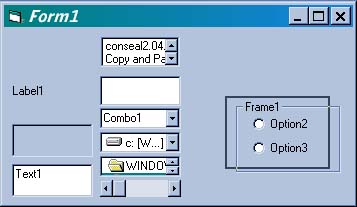
Use this code to drag and drop (almost) any control anywhere on a form.

Assumes
Add some controls and a checkBox Named chkOnOff
API Declarations
Option Explicit

Rate Move controls in a form

Private Sub chkOnOff_Click()
On Error Resume Next 'resume next beacuse not all controls support dragmode
Dim ctl As Control
'Turn dragmode on/off
 
 If chkOnOff.Value Then
  For Each ctl In Me.Controls
   'Debug.Print TypeName(ctl)
   ctl.DragMode = vbAutomatic
  Next
 Else
  For Each ctl In Me.Controls
   'Debug.Print TypeName(ctl)
   ctl.DragMode = vbManual
  Next
 End If
 Me.chkOnOff.DragMode = vbManual
End Sub
Private Sub Form_DragDrop(Source As Control, X As Single, Y As Single)
'Move the control
 Source.Top = Y
 Source.Left = X 
End Sub

Download this snippet    Add to My Saved Code

Move controls in a form Comments

No comments have been posted about Move controls in a form. Why not be the first to post a comment about Move controls in a form.

Post your comment

Subject:
Message:
0/1000 characters