MiTextBox
José Luis Farías
(6 Submissions)
Custom Controls/Forms/Menus
Visual Basic 5.0
Intermediate
Wed 3rd February 2021
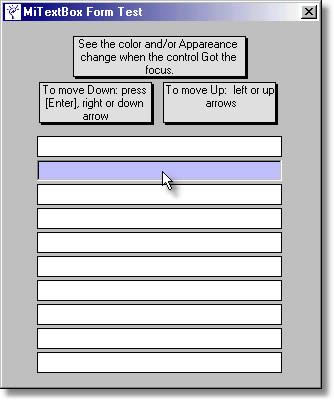
You can set the Text Alignment (Left, Right, Center)
You can set the control Appearance (Flat, 3D) and Color in Normal and OnFocus states.
You can set the type of entry allowed (Numbers, Numbers w/ simbols, Characters, (Y) or (N), Alphanumeric or Anything)
You can set to play beep on bad entries.
You can set Auto Upper Case.
You can set Auto Select Text.
Undo Text with Escape key pressing.
Controls navigation with keys:
Next TextBox: right arrow, down arrow and Enter.
Previous TextBox: left arrow, up arrow.
Support all the VB TextBox methods and properties
Rate MiTextBox
 (3(3 Vote))
(3(3 Vote))
Download MiTextBox
Active Server Pages
Coding Standards
Complete Applications
Custom Controls
Data Structures
Databases / ADO
DDE
Debugging & Errors
DirectX
Encryption
Files / I/O
Games
Graphics
Internet / HTML
Jokes / Humor
Libraries
Math / Dates
Office / VBA
Miscellaneous
OOP
OLE / COM / ActiveX
Registry
Sound / MP3
String Manipulation
VB Enhancements
Windows API
Windows CE
System Services