Mike's Trial Creator
Michael L. Canejo
(28 Submissions)
Miscellaneous
Visual Basic 3.0
Intermediate
Wed 3rd February 2021
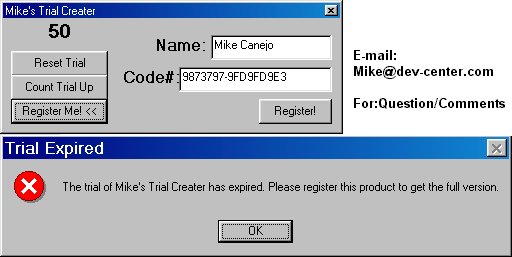
This is an example on how to make your programs have a trial counter on it.This example uses VB's "SaveSetting" and "GetSetting" to the number of times the program was opened. I made a function in here to detect
how many times it was open and if the number of times open is greater than the number you specify, then it displays a "Trial Over" message and exits the program. And also, if you wanted to add a "Register" part, I Included a "Reset TrialCount" feature so if they register it, make it "Registered" and stop the trial count. This is perfect if your working on a program and want it to be Shareware.
Rate Mike's Trial Creator
 (6(6 Vote))
(6(6 Vote))
Download Mike's Trial Creator
Active Server Pages
Coding Standards
Complete Applications
Custom Controls
Data Structures
Databases / ADO
DDE
Debugging & Errors
DirectX
Encryption
Files / I/O
Games
Graphics
Internet / HTML
Jokes / Humor
Libraries
Math / Dates
Office / VBA
Miscellaneous
OOP
OLE / COM / ActiveX
Registry
Sound / MP3
String Manipulation
VB Enhancements
Windows API
Windows CE
System Services