Message B0x Thru C0de
dcroft
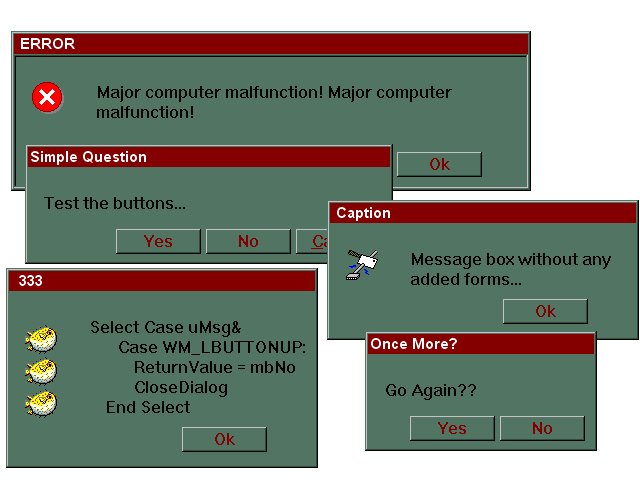
This Message box is missing something all the others
have... the form! All you need is the module. The
Message boxes are created when needed at run-time.
It's really simple to use:MBox(sMsg, _
sCaption, _
Optional MsgBoxType, _
Optional lType As Long, _
Optional lIcon As Long, _
Optional oPath As String, _
Optional nX As Long, _
Optional nY As Long, _
Optional Edge As Boolean
) As Integer
You can use one or all of the parameters so many
different types of message boxes can be generated.
Features Include:
-------------------
1.) Will handle nearly any message no matter the size.
2.) YOu do not have to alter or customize the code.
3.) Allows you to set X,Y position.
4.) Enable user to copy the Message or parts of it.
5.) Display 3D Window or sunken Client Edge.
6.) Allows you to use custom Icons.
Rate Message B0x Thru C0de
 (5(5 Vote))
(5(5 Vote))
Download Message B0x Thru C0de
Active Server Pages
Coding Standards
Complete Applications
Custom Controls
Data Structures
Databases / ADO
DDE
Debugging & Errors
DirectX
Encryption
Files / I/O
Games
Graphics
Internet / HTML
Jokes / Humor
Libraries
Math / Dates
Office / VBA
Miscellaneous
OOP
OLE / COM / ActiveX
Registry
Sound / MP3
String Manipulation
VB Enhancements
Windows API
Windows CE
System Services