Magic Windows
David L. Bracken
(1 Submission)
Custom Controls/Forms/Menus
Visual Basic 3.0
Advanced
Wed 3rd February 2021
PLEASE Vote for me!!!!!
Magic Windows ver 1.0
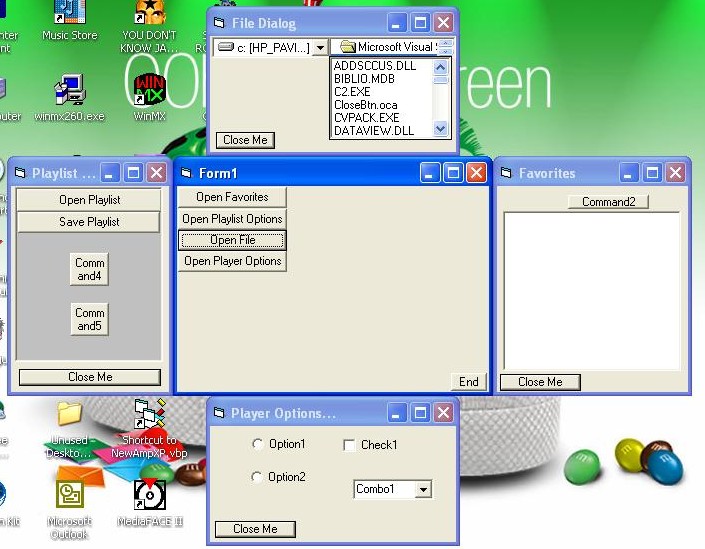
Have you ever wanted to have a form that would slide out from behind another form, like a tray? Well now you can.
Simply Drop this control onto a form(the one you will use as the tray) and from anywhere in code you call 2 methods. One will Slide the form out, The other retracts the form back.
You can set the "tray" form to slide out to the right, left, top. or bottom. You can set it to slide out on top of the calling form, or behind the calling form.
Rate Magic Windows
 (4(4 Vote))
(4(4 Vote))
Download Magic Windows
Active Server Pages
Coding Standards
Complete Applications
Custom Controls
Data Structures
Databases / ADO
DDE
Debugging & Errors
DirectX
Encryption
Files / I/O
Games
Graphics
Internet / HTML
Jokes / Humor
Libraries
Math / Dates
Office / VBA
Miscellaneous
OOP
OLE / COM / ActiveX
Registry
Sound / MP3
String Manipulation
VB Enhancements
Windows API
Windows CE
System Services