ListView Icon Spacing
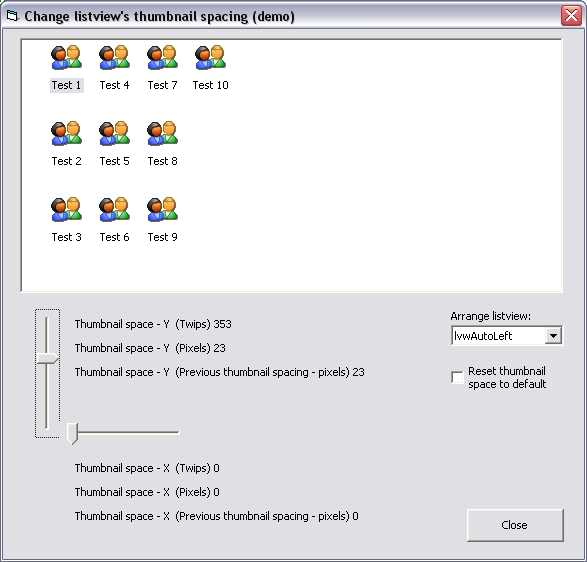
This is a demo which shows how to control the icon spacing in a listview's icon view. The demo is an easy to use wrapper around the LVM_SETICONSPACING api message. You only need to submit the x, y icon spacing in twips and then the code does the rest of it.
API DeclarationsOption Explicit
'
' Listview api messages.
Private Const LVM_FIRST As Long = &H1000
Private Const LVM_SETICONSPACING = LVM_FIRST + 53
Private Declare Sub CopyMemory Lib "kernel32" Alias "RtlMoveMemory" (Destination As Any, Source As Any, ByVal Length As Long)
Private Declare Function SendMessage Lib "user32" Alias "SendMessageA" (ByVal hwnd As Long, ByVal wMsg As Long, ByVal wParam As Long, lParam As Any) As Long
Rate ListView Icon Spacing
 (3(3 Vote))
(3(3 Vote))
Download ListView Icon Spacing
Active Server Pages
Coding Standards
Complete Applications
Custom Controls
Data Structures
Databases / ADO
DDE
Debugging & Errors
DirectX
Encryption
Files / I/O
Games
Graphics
Internet / HTML
Jokes / Humor
Libraries
Math / Dates
Office / VBA
Miscellaneous
OOP
OLE / COM / ActiveX
Registry
Sound / MP3
String Manipulation
VB Enhancements
Windows API
Windows CE
System Services