Listbox resize demo
Andy Fielding
(1 Submission)
Windows API Call/Explanation
Visual Basic 5.0
Intermediate
Wed 3rd February 2021
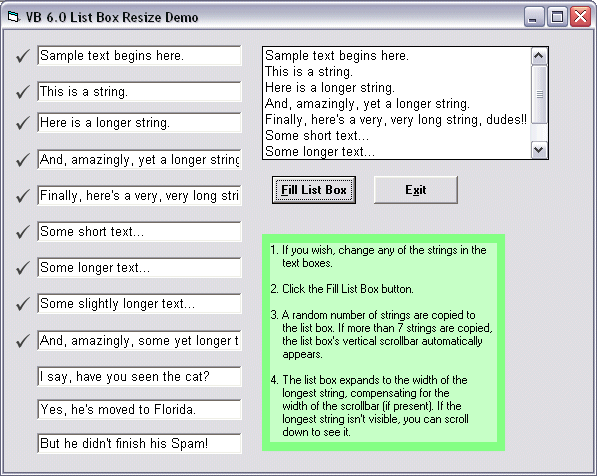
This demo shows how to control the width of a standard list box's text area so its widest string is always visible.
VB's list box control automatically adds a vertical scrollbar when there are too many items to show vertically. The demo detects the vertical scrollbar and includes it in the list box's width.
Inputs
(n/a)
Returns
(n/a)
Side Effects
A desire to do more coding, maybe...? :?)
API Declarations1. GetSystemMetrics (determines user's scrollbar size)
2. GetWindowLong (determines if listbox currently has a scrollbar)
Rate Listbox resize demo
 (2(2 Vote))
(2(2 Vote))
Download Listbox resize demo
Active Server Pages
Coding Standards
Complete Applications
Custom Controls
Data Structures
Databases / ADO
DDE
Debugging & Errors
DirectX
Encryption
Files / I/O
Games
Graphics
Internet / HTML
Jokes / Humor
Libraries
Math / Dates
Office / VBA
Miscellaneous
OOP
OLE / COM / ActiveX
Registry
Sound / MP3
String Manipulation
VB Enhancements
Windows API
Windows CE
System Services