Image2Text
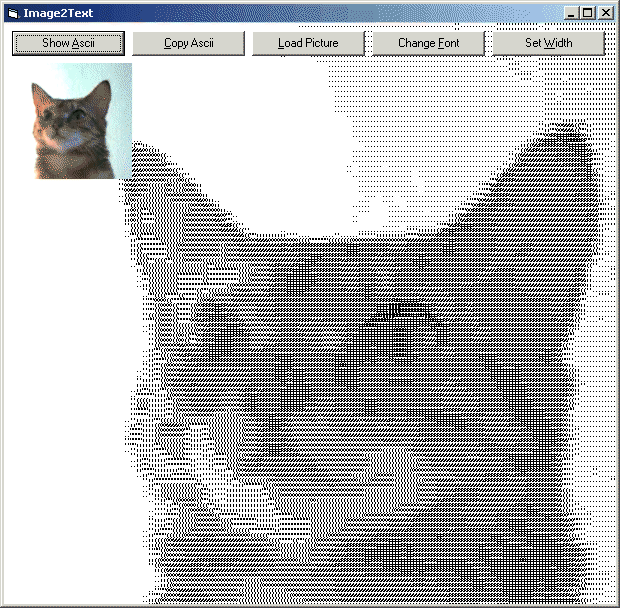
Use _ANY_ (fixed width) font to create ASCII art. The code will scan the font and your picture to create the optimal ASCII image. The screenshot shows it all. The code is commented, but here is some explanation. You choose a picture and a font (Courier / Terminal / Lucida Console) and a font size. The code will create an array for all 255 grey values that maps to a character in your font. This is done by printing each character and 'scanning' it with GetPixel. After this the picture is scanned and the ASCII art - string is created. The code is fast and can be used on larger pictures, even without compiling. Leave a vote, (or better: a comment) if you like it. (updated 2/19/2003)
Rate Image2Text
 (11(11 Vote))
(11(11 Vote))
Download Image2Text
Active Server Pages
Coding Standards
Complete Applications
Custom Controls
Data Structures
Databases / ADO
DDE
Debugging & Errors
DirectX
Encryption
Files / I/O
Games
Graphics
Internet / HTML
Jokes / Humor
Libraries
Math / Dates
Office / VBA
Miscellaneous
OOP
OLE / COM / ActiveX
Registry
Sound / MP3
String Manipulation
VB Enhancements
Windows API
Windows CE
System Services