HTML Control 1.2 (HTML color syntax highlighter)
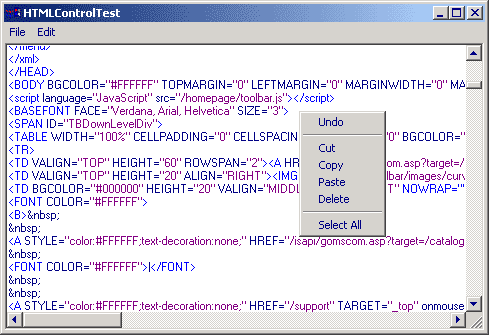
The reason why I created this is as follows:
Most of the HTML color syntax highlighters that
I have found here are either to big
complicated, slow or has other disadvantages.
Many of them allso required selveral .cls/.bas
files, witch makes them harder to implement in
existing projects.
So therefore I started on this with some
requirements in mind.
1. It had to one single .ctl file that could
easilly be dropped in the project explorer.
2. It should be simple to use with the fewest
amount of arguments as possible
3. I wanted it to have alle the basic functions
like: Undo, Cut, Copy, Paste, Delete
Select All
because theese are really boring to write
over and over again.
Thanks to RegX for his "FastHTML/XML Highlight"
I had the foundation of the highliting.
You can see his project here:
https://makeashorterlink.com/?J16C426F2
So here you have it.
1. Set a refference to
"Microsoft VBScript Regular Expressions 5.5"
in Project > Refferences
2. Copy "txtHTML.ct" and "txtHTML.ctx"to your
projects´s folder
3. Drop the txtHTML.ctl in your Project Explorer
4. Ready!
Oh yeh!
Remember that Votes = Good :o)
Update 06,Jan,2003
Fixed: crash when typing a comment at first.
Fixed: Not coloring correctly when typing tags inside a comment.
 (5(5 Vote))