VBcoders Guest


Don't have an account yet? Register


Forgot Password?


Graphic Tiling Made Easy
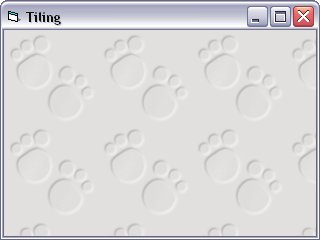
by ·Phil· (1 Submission)
Category: Graphics
Difficulty: Beginner
Date Added: Wed 3rd February 2021
Rating: (3 Votes)

Quickly Tile a Form Background using VB PaintPicture

Rate Graphic Tiling Made Easy

Explanation:- Tiling is a way of using a single graphic source to cover an entire area

or background without stretching a picture. This method is also very low on memory use.


The following example shows a very simple and quick way to tile a forms background using

Visual Basics' built-in PaintPicture command


Example Code:


'** Quickly Tile a Form Background using VB PaintPicture 
'** Assumes: You have a picture on screen called "Image1"
' obv change this to suit your program.
'** Level: Beginner
'** Author: P.Glancey
Private Sub Form_Load()
 Image1.Visible = False  ' Hide the image
 Call TileIt(Me, Image1) ' Call the tiling function
End Sub
Private Sub Form_Resize()
 Call TileIt(Me, Image1) 'Call again when resized
End Sub
Function TileIt(TheForm As Form, ImageSource As Image)
 Dim I As Integer, J As Integer
 Dim Result1 As Integer, Result2 As Integer
 TheForm.AutoRedraw = True ' Set the form autoredraw
 TheForm.Refresh   ' and refresh
 Result1 = TheForm.Height / ImageSource.Height
 Result2 = TheForm.Width / ImageSource.Width
 For I = 0 To Result1
  For J = 0 To Result2
   TheForm.PaintPicture ImageSource.Picture, J * _
   ImageSource.Width, I * ImageSource.Height, _
   ImageSource.Width, ImageSource.Height
  Next
 Next
End Function


Download this snippet    Add to My Saved Code

Graphic Tiling Made Easy Comments

No comments have been posted about Graphic Tiling Made Easy. Why not be the first to post a comment about Graphic Tiling Made Easy.

Post your comment

Subject:
Message:
0/1000 characters