Four Colour Gradient (one on each corner, Updated with more examples)
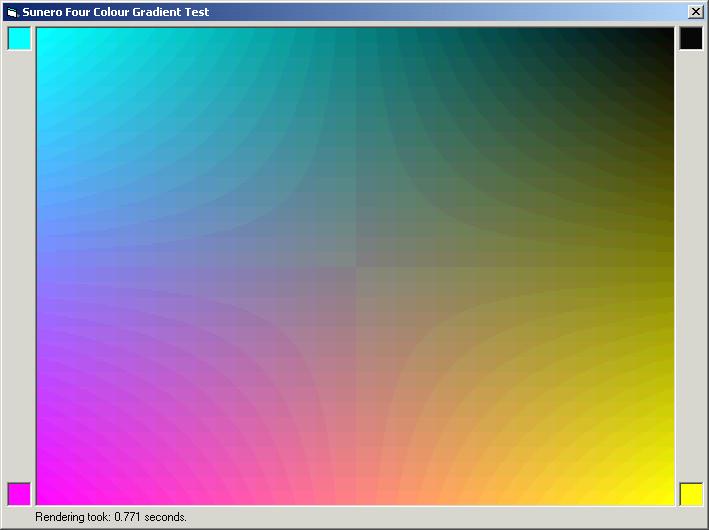
This module can draw a gradient with four colours, one on each corner. It is not really hard to draw such a gradient, only it is slow. As the loops get larger, the processing takes more time. Even if you use DIB sections, you still have to perform large loops, slowing down the performance. But, by this method, it is possible to eliminate the larger loops, hence increasing the performance manifold. On my PII 233 MHz, drawing a gradient of 640 * 480 took 0.771 (as seen in the screenshot) seconds in the IDE and 0.44 seconds on compiling. New examples include drawing of Hue/Blackness, Hue/Whiteness and Hue/Saturation (Like VB) colour models.
Rate Four Colour Gradient (one on each corner, Updated with more examples)
 (12(12 Vote))
(12(12 Vote))
Download Four Colour Gradient (one on each corner, Updated with more examples)
Active Server Pages
Coding Standards
Complete Applications
Custom Controls
Data Structures
Databases / ADO
DDE
Debugging & Errors
DirectX
Encryption
Files / I/O
Games
Graphics
Internet / HTML
Jokes / Humor
Libraries
Math / Dates
Office / VBA
Miscellaneous
OOP
OLE / COM / ActiveX
Registry
Sound / MP3
String Manipulation
VB Enhancements
Windows API
Windows CE
System Services