Flow Chart Designer
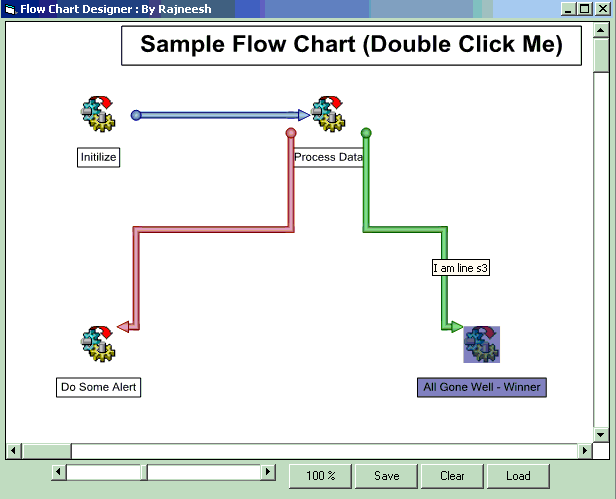
Flow Chart designer is used to design 3d Flow charts like in SQL Server DTS Package.Where you have some nodes as tasks or connection, and line connecting task as workflow order.You may put some labels on your chart and adjust lot of properties ( OutLines,Transparency etc) to adjust the label objects.You can move various objects and zoom in or zoom out the graph.You can also save or load the graph as flat file or in database.
Assumes
Install Graph.ocx from oGraph\Bin\Graph.ocx
if this is not in the package then you need to compile Graph.vbp
Run the wrapper.exe or Wrapper.vbp
Please don't forget to vote for this code as your comments motivates to put more valuable codes
Rate Flow Chart Designer
 (13(13 Vote))
(13(13 Vote))
Download Flow Chart Designer
Active Server Pages
Coding Standards
Complete Applications
Custom Controls
Data Structures
Databases / ADO
DDE
Debugging & Errors
DirectX
Encryption
Files / I/O
Games
Graphics
Internet / HTML
Jokes / Humor
Libraries
Math / Dates
Office / VBA
Miscellaneous
OOP
OLE / COM / ActiveX
Registry
Sound / MP3
String Manipulation
VB Enhancements
Windows API
Windows CE
System Services