Find faster a String in Combo or ListBox while typing (Using SendMessage API)
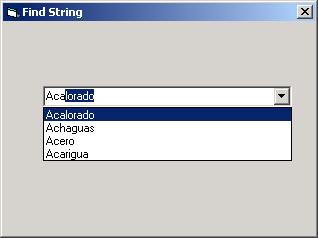
This code is useful to look at a string inside a ComboBox or ListBox, while you typing it
Inputs
The String to find.
Assumes
You must set the API Declaration in a Module
Returns
If the string is found, it is set position respective.
API Declarations#If Win32 Then
Declare Function SendMessage Lib "User32" Alias "SendMessageA" _
(ByVal hWnd As Long, ByVal wMsg As Long, _
ByVal wParam As Long, lParam As Any) As Long
#Else
Declare Function SendMessage Lib "User" _
(ByVal hWnd As Integer, ByVal wMsg As Integer, _
ByVal wParam As Integer, lParam As Any) As Long
#End If
Const CB_FINDSTRINGEXACT = &H158 'Search string Exact in ComboBox
Const LB_FINDSTRINGEXACT = &H1A2 'Search string Exact in ListBox
Const CB_FINDSTRING = &H14C 'Search string to begin in ComboBox
Const LB_FINDSTRING = &H18F 'Search string to begin in ListBox
 (9(9 Vote))