File Types Example
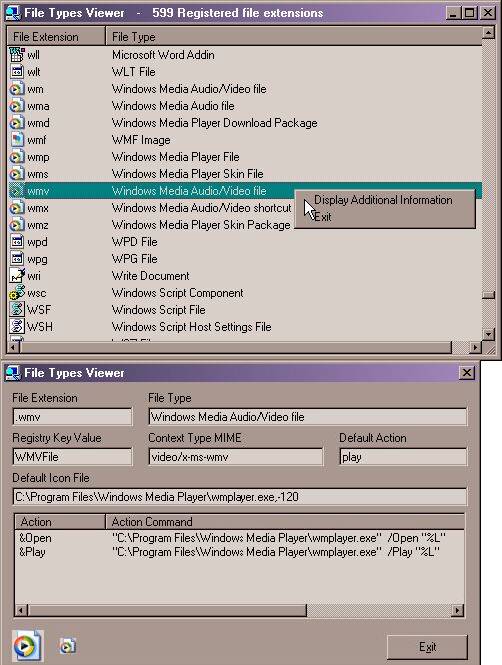
File Types Example retrieves all registered file extensions
from the Windows registry and presents them along with the
file types and default icon. Right-Click on the file extension
to view the file types key, content type, default icon file
and the file types actions, also, you can backup the registry
entries in a .reg file.
Inputs
Windows registry.
Assumes
This program doesn't alter the Window Registry,
it only reads and displays items.
Returns
All registered file extensions.
API DeclarationsIn zip file.
Rate File Types Example
 (6(6 Vote))
(6(6 Vote))
Download File Types Example
Active Server Pages
Coding Standards
Complete Applications
Custom Controls
Data Structures
Databases / ADO
DDE
Debugging & Errors
DirectX
Encryption
Files / I/O
Games
Graphics
Internet / HTML
Jokes / Humor
Libraries
Math / Dates
Office / VBA
Miscellaneous
OOP
OLE / COM / ActiveX
Registry
Sound / MP3
String Manipulation
VB Enhancements
Windows API
Windows CE
System Services