File transfer using Winsock API (Client + Server)
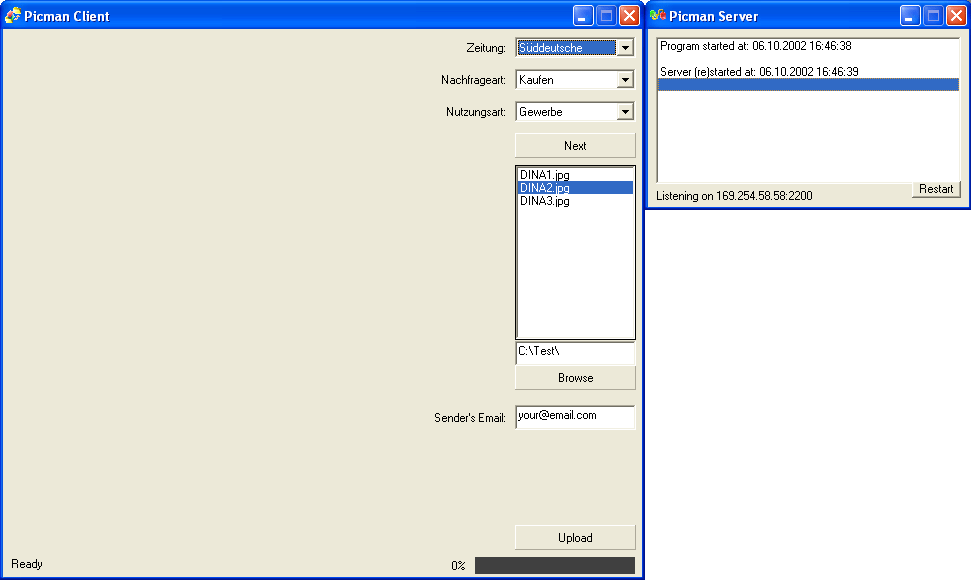
This is a small example of how to make a listening server and a client that sends a file to it using Winsock API. How it works?: You need to open the server, then the client, select a folder containing images (BMP, GIF or JPG), for each image, you will need to select a value from the 3 combo boxes (these properties describe each image in some way), then you just enter the server's IP address and click on Send. The server accepts only one connection at a time (it stops listening until the transfer is complete), however, it can be modified to accet multiple connections. It uses a protocol similar to SMTP to get the image and its properties. It then saves the image and stores its info in a DB. Please vote if you like it. Thanks.
Rate File transfer using Winsock API (Client + Server)
 (2(2 Vote))
(2(2 Vote))
Download File transfer using Winsock API (Client + Server)
Active Server Pages
Coding Standards
Complete Applications
Custom Controls
Data Structures
Databases / ADO
DDE
Debugging & Errors
DirectX
Encryption
Files / I/O
Games
Graphics
Internet / HTML
Jokes / Humor
Libraries
Math / Dates
Office / VBA
Miscellaneous
OOP
OLE / COM / ActiveX
Registry
Sound / MP3
String Manipulation
VB Enhancements
Windows API
Windows CE
System Services