Email by Outlook Automation with Voting Buttons
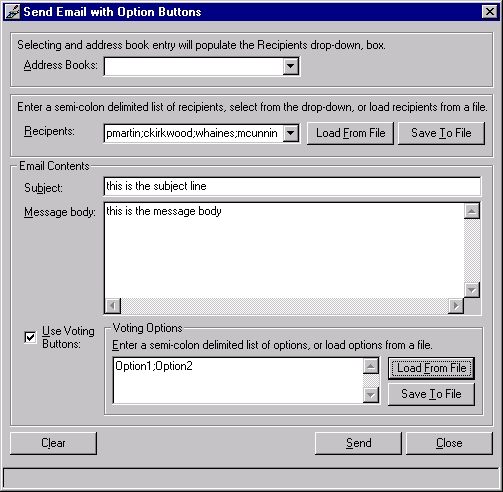
This is based on Dylan Morley's Program msOutlook Library.
I took his program and added functionality for voting buttons, storage and retrieval of recipient list/voting options, clearing of form.
I changed the interface, added error trapping, hotkeys and hourglass functionality. I didn't change any of Dylan's original code-I just added code in necessary places and added error trapping. SO you may notice a change in the variable/scope naming convention in some places.
Thanks Dylan for the start - i needed this
to help us at work figure out what we're
doing for lunch every day. Each day
i send a list of options out to my
lunch cronies, we go with the place
with the highest vote.
(note: this program uses microsoft's outlook automation library msoutl85.olb
This program also requires the Microsoft Scripting Runtime (scrrun.dll) which can be obtained by installing any one of the following packages: Windows Script Host Windows NT Option Pack Microsoft Internet Information Server 3.0 Scripting 3.1 upgrade Visual Studio 98 Visual Basic 6.0 )
Use this however you want.
API Declarationssee the code
 (5(5 Vote))