Easy Form Editor
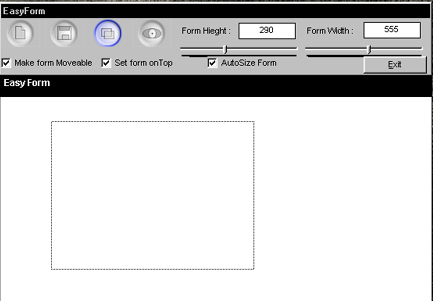
Hey people it's me agian. ;-)
This littel program make it easy for you too make a shaped form.
You just draw(with the mouse) on the form and click save, then the program saved the shape and
writes a *.frm file for you to use in VB. It all so exports the picture you drawn so you can make it fansy in photoshop or something like that, and then use it as your bagground in your form.
- TIPS -
Now i made the sample bagground in photoshop, and i know you dont need to know how, but if i tell you. Then you can't say i did't tell you everthing! *hehe*
To make the bagground .
New picture (400 * 400 pixels)
click FILTER -> RENDER -> Driffernt Clouds
click FILTER -> NOISE -> NOISE (1%)
click NEW CLANNEL
click FILTER -> RENDER -> Driffernt Clouds
click FILTER -> NOISE -> NOISE (1%)
click FILTER -> RENDER -> Driffernt Clouds
click FILTER -> RENDER -> Lighting Effect
Light type = spotligt
Gloss = 59
Materiale = 69
exposure = -100
ambience = 47
texture channel = alfa1
height = 100
Now please give me a vote... just a small one(or bigger)..
Yours
CiX
Remember its all about haveing fun ;-)
Side Effects
I only testet this on Windows 98.
I know the form you generate will work on any system, but there can be some problems with my program on winnt(Or so i think)..
API DeclarationsUhmm just a few....
 (8(8 Vote))