Drag & Drop Re-ordering of ListView Items
Chetan Sarva
(5 Submissions)
Custom Controls/Forms/Menus
Visual Basic 3.0
Intermediate
Wed 3rd February 2021
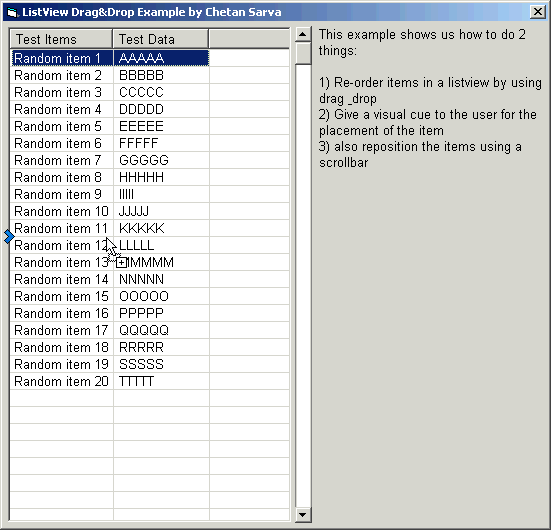
Shows how to re-order items in a listview by dragging and dropping them in their new position. Also shows how to give the user a nice visual cue for the new position. Items can also be re-ordered using the scrollbar.
Side Effects
The visual cue does some weird things when scrolling the listview while dragging an item.
Rate Drag & Drop Re-ordering of ListView Items
 (12(12 Vote))
(12(12 Vote))
Download Drag & Drop Re-ordering of ListView Items
Active Server Pages
Coding Standards
Complete Applications
Custom Controls
Data Structures
Databases / ADO
DDE
Debugging & Errors
DirectX
Encryption
Files / I/O
Games
Graphics
Internet / HTML
Jokes / Humor
Libraries
Math / Dates
Office / VBA
Miscellaneous
OOP
OLE / COM / ActiveX
Registry
Sound / MP3
String Manipulation
VB Enhancements
Windows API
Windows CE
System Services