Download File
* UPDATED Jan 5, 2001 *
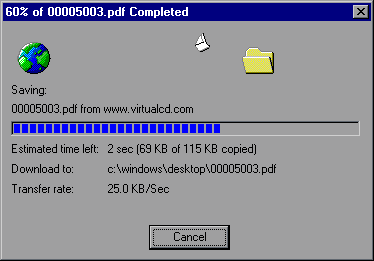
Download files using HTTP protocol with RESUME, MSIE-style animation, status, and progress bar using Microsoft VB6.
* Fixed: The download success is now returned by DownloadFile, as advertised.
Inputs
strURL: String; The source URL of the file
strDestination String; Valid Win95/NT path and filename for the downloaded file (i.e. "C:\Program Files\My Stuff\Purina.pdf")
Username: Optional;String; Login Username
Password: Optional;String; Login Password
Assumes
The modGlobals module also contains some functions I designed to format time, file sizes, and fit text to a control's width (like MSIE's download window does)
Usage Example:
Success = frmDownload.DownloadFile("http://myserver.com/myfile.zip","C:\Windows\Desktop\myfile.zip")
If Success then MsgBox "Download successful!"
Dependencies:
Microsoft Internet Transfer Control 6.0 (MSINET.OCX)
Microsoft Windows Common Controls 6.0 (MSCOMCTL.OCX)
Microsoft Windows Common Controls-2 6.0 (MSCOMCT2.OCX)
I believe this will WORK with VB5 Service Pack 3, but the progress indicators will probably not change until the file is completely downloaded due to a limitation in the GetChunk method of the Internet Transfer Control 5.0.
I usually don't like to rely on VB controls (OCX's) for anything, but since the app I wrote for my company had need of 90% of the Windows controls included between the 3 OCX's, it seemed like an efficient use of time and resources! I may get around to writing this using 100% API, but I doubt it will happen soon! Any takers...?
Returns
Boolean; True, if file downloaded successfully.
Side Effects
None.
 (27(27 Vote))