Direct3D> 2D Part 3, Alpha blending
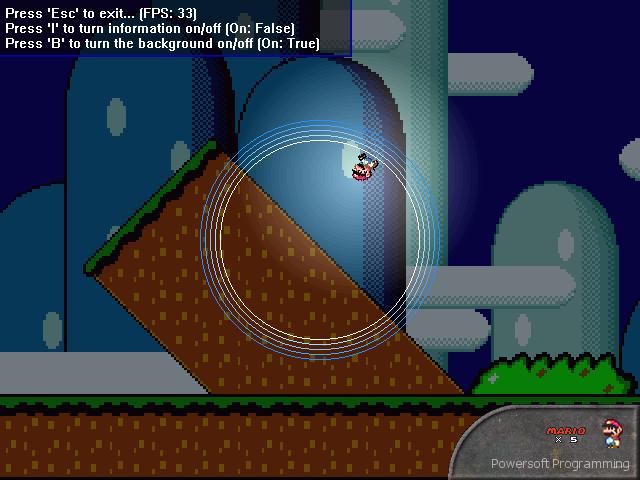
I'm back, with Part 3 of creating 2D graphics using Direct3D.
Part 3 is built on top of Part 1, still displaying the Mario character running around in circles, but contains some additions which I just found out:
- Alpha blending! (you can change the alpha value, as shown in the demo)
- Faster way of faking light! (this time, not using vertex color, but simply drawing a bitmap alpha-blended over the scene, more accurately simulating lighting)
- Using DirectDraw in combination with Direct3D! (allowing for large surfaces to be drawn, like the background)
The 33 FPS in the screenshot are from my P133, however, if I turn off the background it instantly goes to 60 FPS (the maximum, since that's my monitor's refresh rate)...
Enjoy! And don't forget to leave comments (and vote!)
Rate Direct3D> 2D Part 3, Alpha blending
 (7(7 Vote))
(7(7 Vote))
Download Direct3D> 2D Part 3, Alpha blending
Active Server Pages
Coding Standards
Complete Applications
Custom Controls
Data Structures
Databases / ADO
DDE
Debugging & Errors
DirectX
Encryption
Files / I/O
Games
Graphics
Internet / HTML
Jokes / Humor
Libraries
Math / Dates
Office / VBA
Miscellaneous
OOP
OLE / COM / ActiveX
Registry
Sound / MP3
String Manipulation
VB Enhancements
Windows API
Windows CE
System Services