Advanced Mask Selections ver 1.1
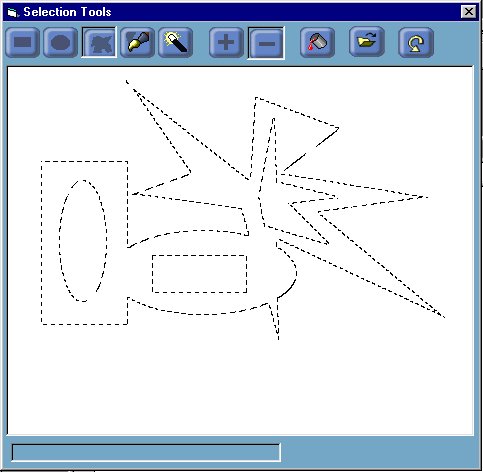
How to create complex masks, that can be built in steps, with undo/ redo functionality at each step. Masks can be built in either additive or subtractive mode, as in advanced graphics packages. Tools include :
rectangular selection, elliptical selection, polygon selection, paint
brush mask selector, magic wand selection.
Also shows how to use CreatePatternBrush() api to implement a marching
ants style border around selection ...
Inputs
Shows how to use many of the region api's including :
			- CombineRgn()
			- GetRegionData()
			- CreateRectRgn()
			- CreateEllipticRgn()
			- CreatePolygonRgn()
			- FillRgn()
			- ExtCreateRegion()
			- FrameRgn()
		Also shows how to use the brush apis to create two custom brushes for
		a marching ants effect.
			- CreateBrushIndirect()
			- CreatePatternBrush()
Assumes
Don't forget to vote if you like it and any feedback, fixes, improvements, suggestions etc are most welcome ...
API DeclarationsShows how to use many of the region api's including :
- CombineRgn()
- GetRegionData()
- CreateRectRgn()
- CreateEllipticRgn()
- CreatePolygonRgn()
- FillRgn()
- ExtCreateRegion()
- FrameRgn()
Also shows how to use the brush apis to create two custom brushes for
a marching ants effect.
- CreateBrushIndirect()
- CreatePatternBrush()
 (8(8 Vote))